

Jobright Review 2026: Pricing, Pros & Cons
Jobright or Jobstrack.io? Compare job alerts, resume tools, application help, and pricing to choose the right fit for your job search.
 Jobstrack.io Team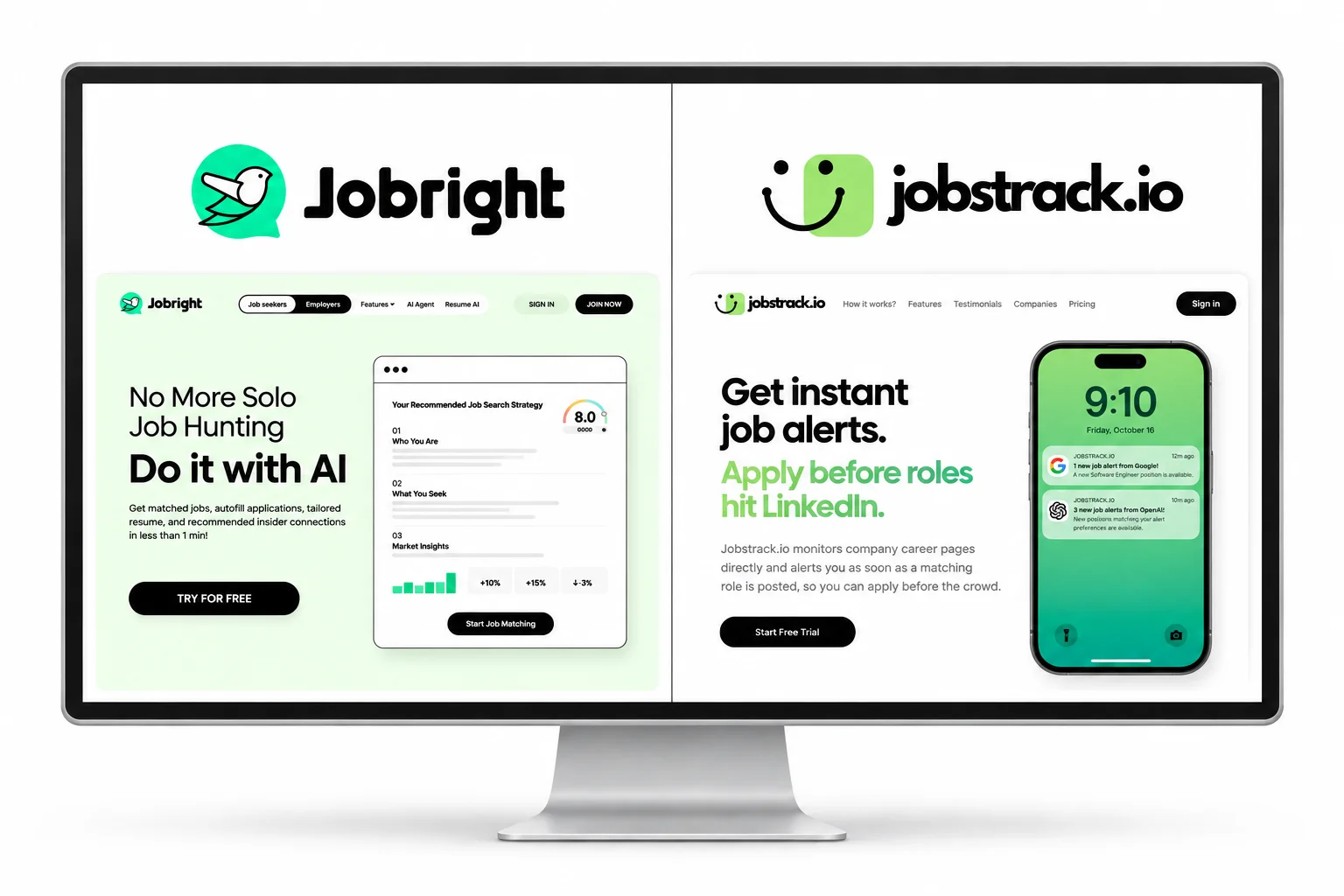
Finding a job takes two kinds of work: finding worthwhile openings and putting together strong applications. You might spend an evening searching and find nothing new, then lose another hour filling in the same details on different application forms.
Jobright and Jobstrack.io help with different parts of that routine. Jobright brings matching, resume tools, and application help into one platform. Jobstrack.io focuses on finding new roles directly on company career pages and alerting you when they match your preferences.
The right choice depends on where your search gets stuck. Here is how the two compare, what you get for your money, and when each one makes sense.
Jobright vs. Jobstrack.io at a Glance
| What You Need | Jobright | Jobstrack.io |
|---|---|---|
| Main focus | Job matching and application assistance | Early discovery through company career-page monitoring |
| Matching | Resume-based job matching | Your role and location preferences |
| Job alerts | Available, with access depending on your plan | Email alerts when new matching roles are found |
| Resume help | AI tailoring tools | You prepare your own resume |
| Application forms | Autofill and application tools | Direct apply links; you submit the application |
| Best fit | You want several application tools together | You want relevant openings sent to your inbox |
Looking for career-page alerts? See Jobstrack.io plans.
Jobright Pros and Cons
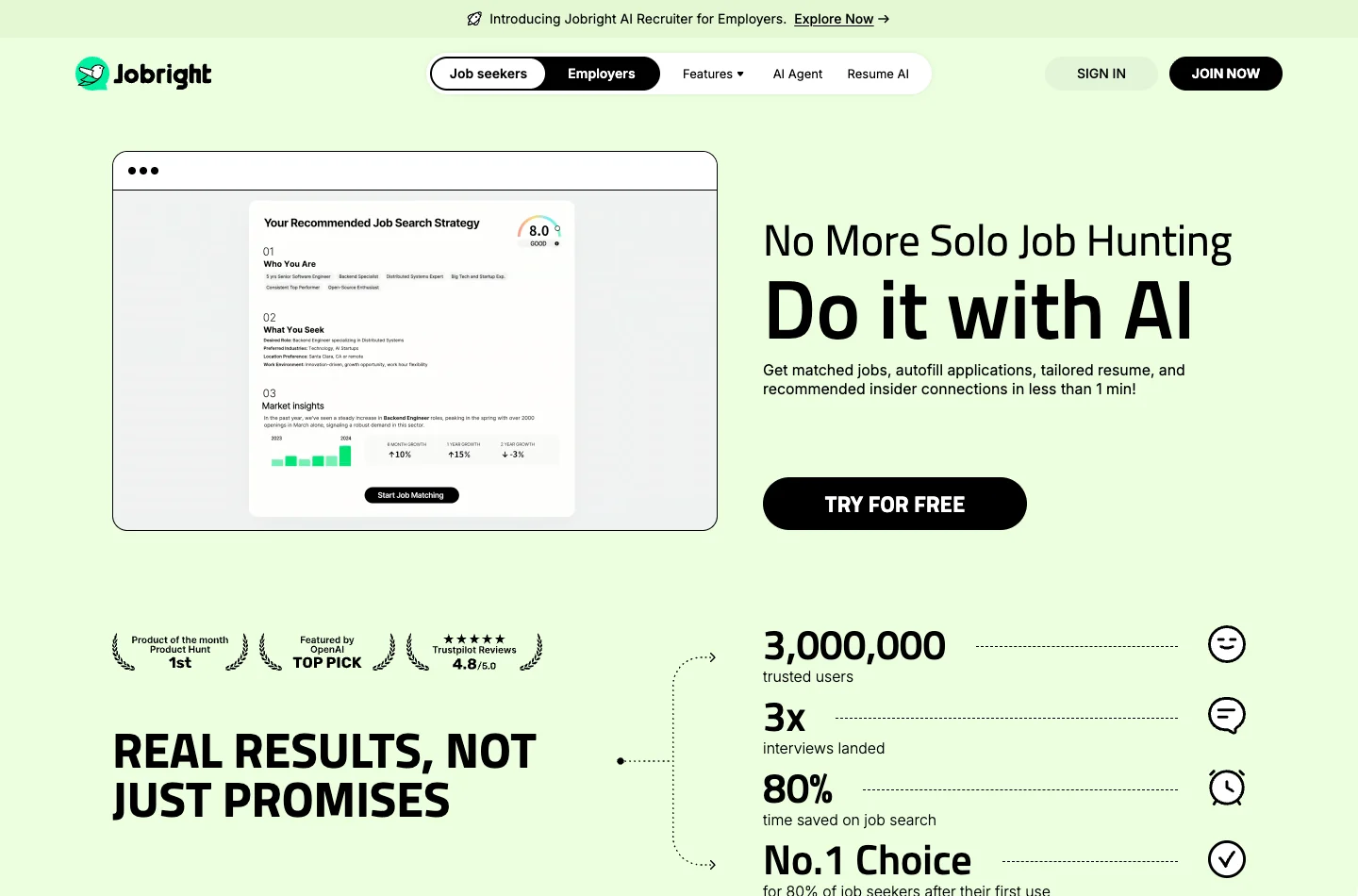
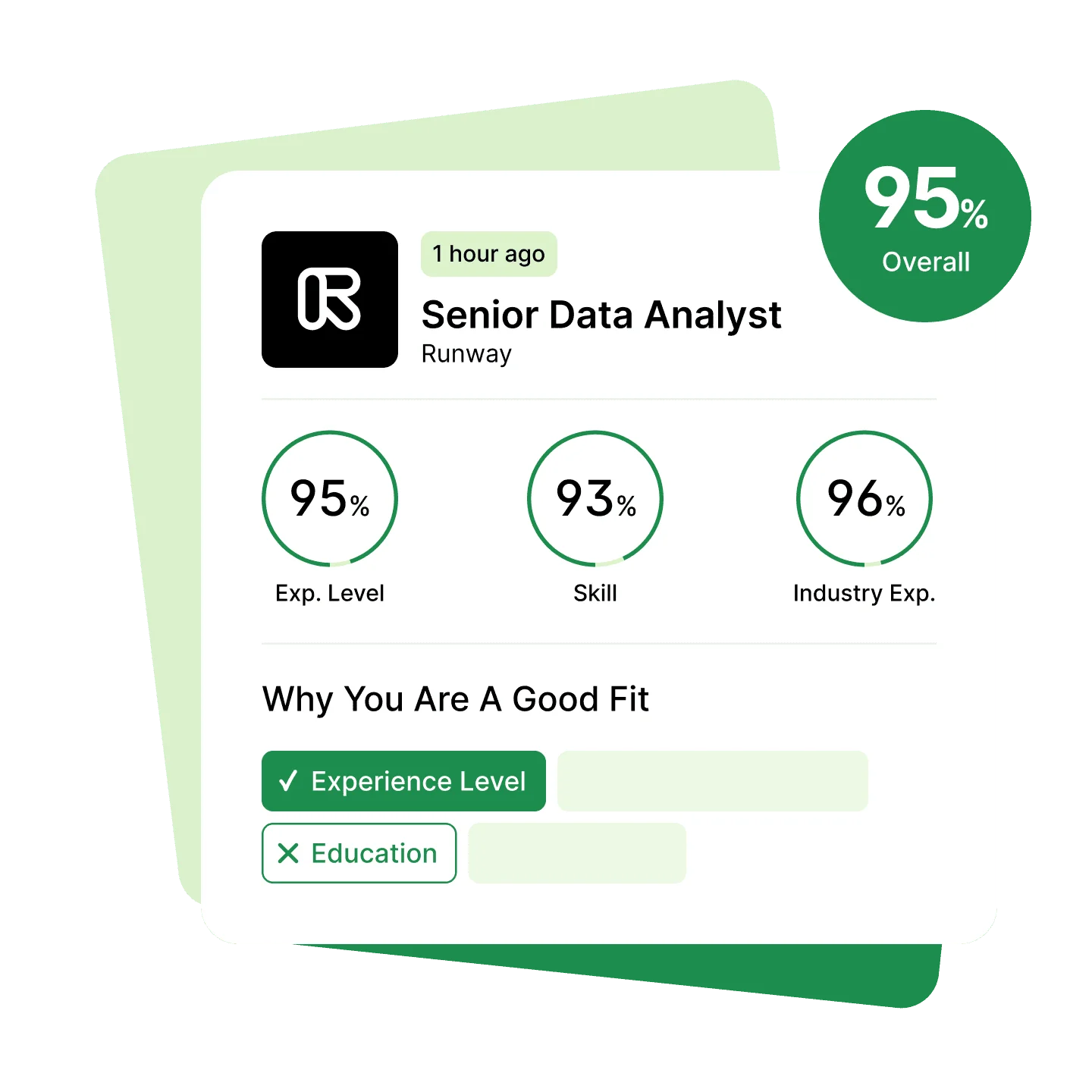
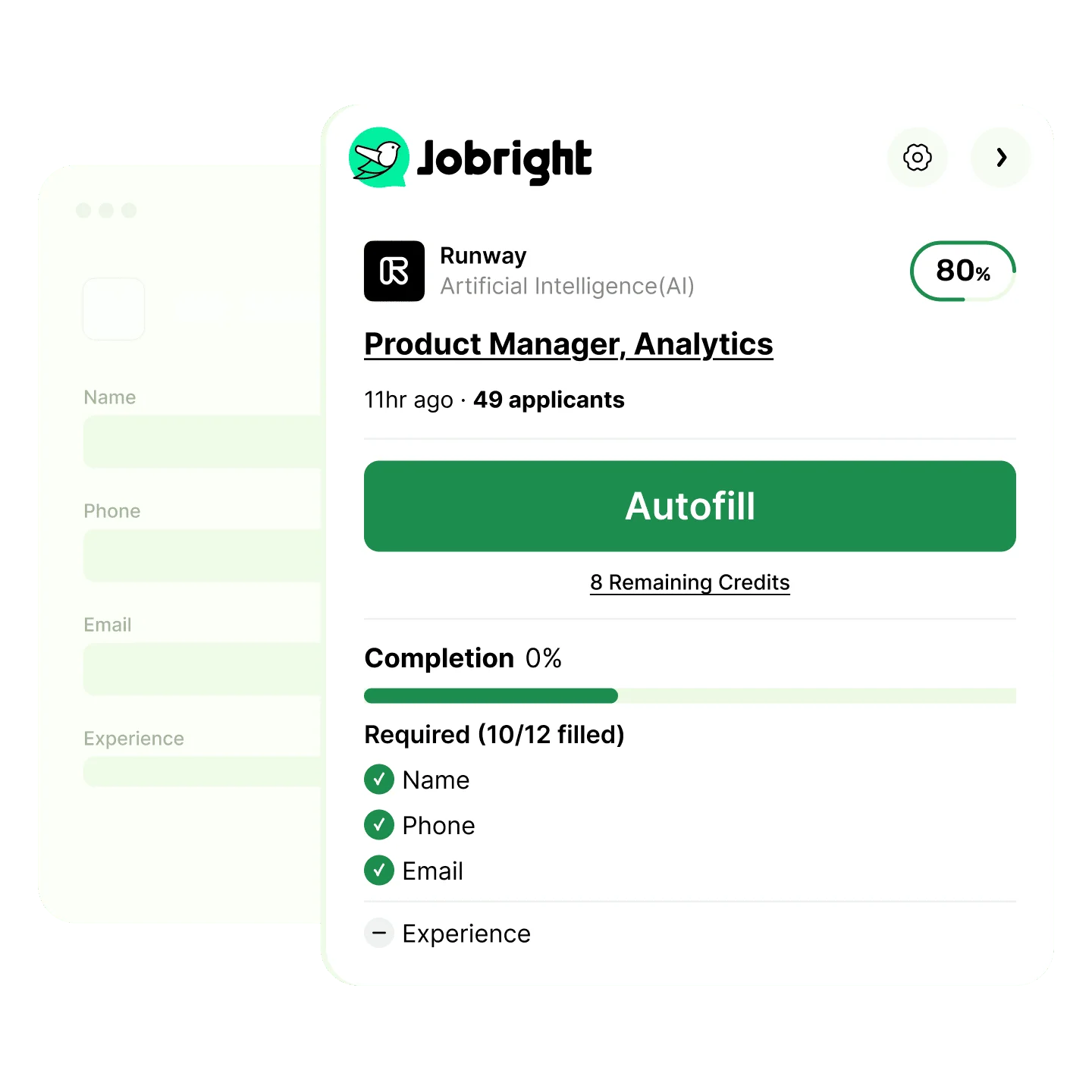
Jobright combines resume-based matching, tailoring, and application autofill. Insider connections and Orion, its AI career copilot, add help with outreach and questions along the way. The free plan lets you try the workflow before paying for Turbo.
Pros
- Several tools in one place. Matching, resume tailoring, and autofill can reduce the work of switching between services.
- A free way to start. Try matching and limited use of the application tools before paying for Turbo.
- Extra capacity when you need it. Turbo's higher or unlimited allowances can help when free limits interrupt suitable applications.
Cons
- Useful features have limits or cost extra. Check which paid benefits you will actually use, especially coaching session allowances and format.
- Generated materials still need editing. A tailored resume and autofilled answers need to reflect your experience accurately.
- Automation depends on the application. Autofill helps complete forms; an agent may handle more steps. Check which sites Jobright's AI Agent supports and where you can review answers before submission.
Jobright also offers alerts. Choose it for the combination of features you need rather than assuming more application tools will improve unsuitable matches. Our guide to AI job application tools explains where assistance helps and where your own judgment matters.
Inside Jobright's Matching and Autofill Tools
Resume-based matching
Application autofill
How Do Jobright and Jobstrack.io Prices Compare?
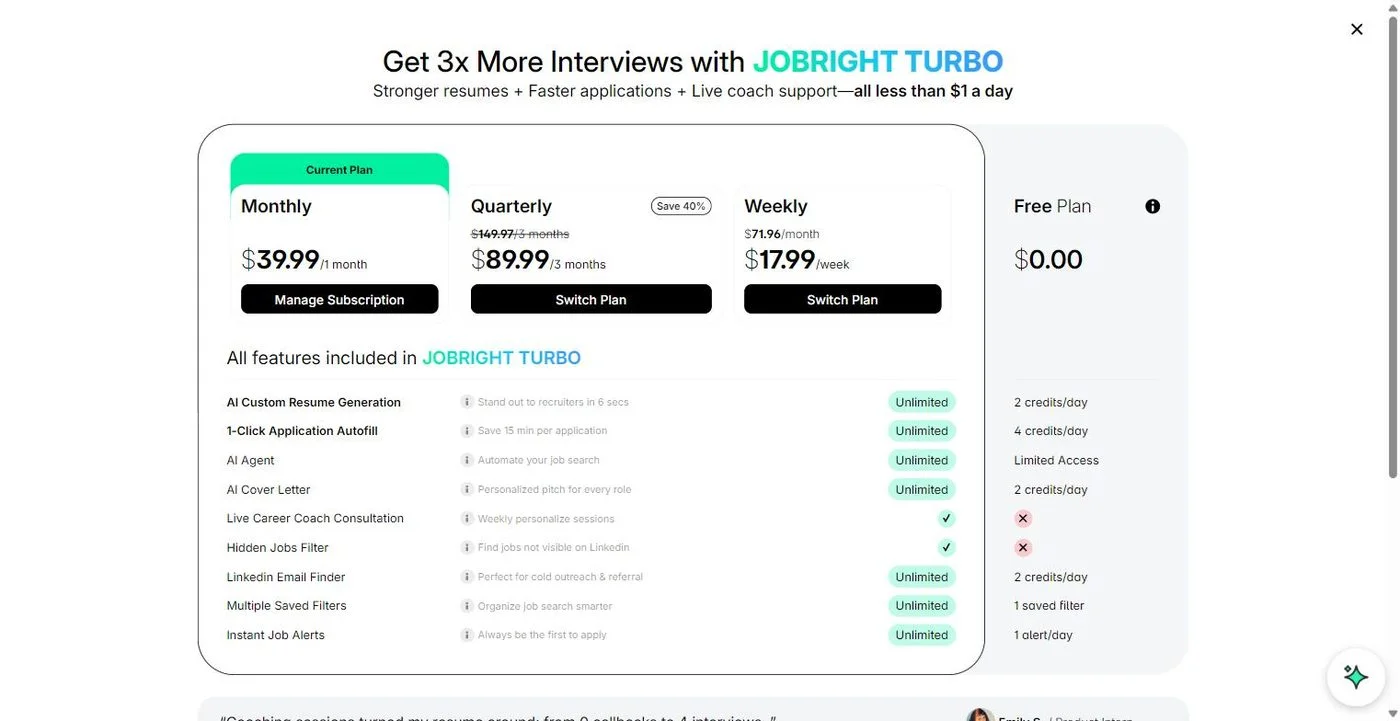
Jobright has an ongoing free plan and a paid Turbo subscription. Jobstrack.io offers paid plans with a seven-day free trial for eligible customers.
| Billing Option | Jobright Turbo | Jobstrack.io |
|---|---|---|
| Weekly | $17.99 per week | $9.99 per week |
| Monthly | $39.99 per month | $19.99 per month |
| Longer plan | About $89.99 every three months | $49.99 every six months |
| Longer-plan monthly equivalent | About $30.00 | About $8.33 |
| Try it first | Free plan with limited tool use | Seven-day trial for eligible customers; payment method required |
The longer plans cover different periods. Jobright's quarterly option is paid every three months; Jobstrack.io's six-month option is paid every six months. The monthly equivalents help you compare the cost, but neither is a monthly installment plan.
Pricing note, October 17, 2026: Jobright figures and plan allowances are shown in the August 21, 2026 in-account screenshot published by FavTutor, reproduced below. Jobstrack.io's standard rates are on our pricing page. Prices are in US dollars; offers, taxes, and plan details may change.
Jobstrack.io's October 2026 Offer
Through October 31, 2026, code OCTO30 gives you 30% off Jobstrack.io: $6.99 weekly, $13.99 monthly, or $34.99 for six months. The six-month offer works out to about $5.83 per month, paid as one $34.99 charge. Your checkout shows the discount duration and renewal price.
Which Billing Period Should You Choose?
Start with the free option or trial to see whether the service fits your routine. Choose a longer plan when you expect to keep using it, rather than choosing it only because the monthly equivalent looks lower.
Weekly billing has a smaller initial charge but becomes expensive if you renew repeatedly. At Jobright's $17.99 weekly rate, four weeks costs $71.96. Choose monthly billing if you expect to use Turbo for a sustained search.
For a longer-term comparison, $17.99 multiplied by 52 weekly payments and divided by 12 months is about $77.96 per month. Four weeks and a calendar month are different periods.
How to Cancel Jobright
Jobright subscriptions renew automatically. To stop the next renewal:
- Sign in to Jobright and open your account's subscription management page.
- Choose the cancellation option and complete the confirmation steps.
- Keep the confirmation and check that the next renewal is canceled.
If you cannot manage the subscription in your account, contact Jobright Support. Its subscription terms say paid access normally continues until the period ends. Cancellation does not automatically refund a charge; refund eligibility is covered in the official refund policy. App-store purchases follow the relevant store's process.
Canceling Jobstrack.io
For Jobstrack.io, cancel through your dashboard's billing controls before renewal. If you are using the trial, cancel before it ends to avoid the first subscription charge. See our refund policy for payment and refund details.
Where Does Jobstrack.io Make the Biggest Difference?
The search itself can take over your day: reopening career pages, refreshing job boards, and sorting through listings you have already seen. Jobstrack.io takes that repeated checking off your list.
Company career pages are often where a role appears first. LinkedIn, Indeed, and other job boards may pick it up later. Jobstrack.io checks career pages directly and sends an email as soon as a new matching role is found, helping you hear about an opening while it is still fresh.
You set the roles and locations you want. We match those preferences against new jobs from the companies we monitor, including employers you might not have thought to check. Each alert includes the job details and a direct apply link.
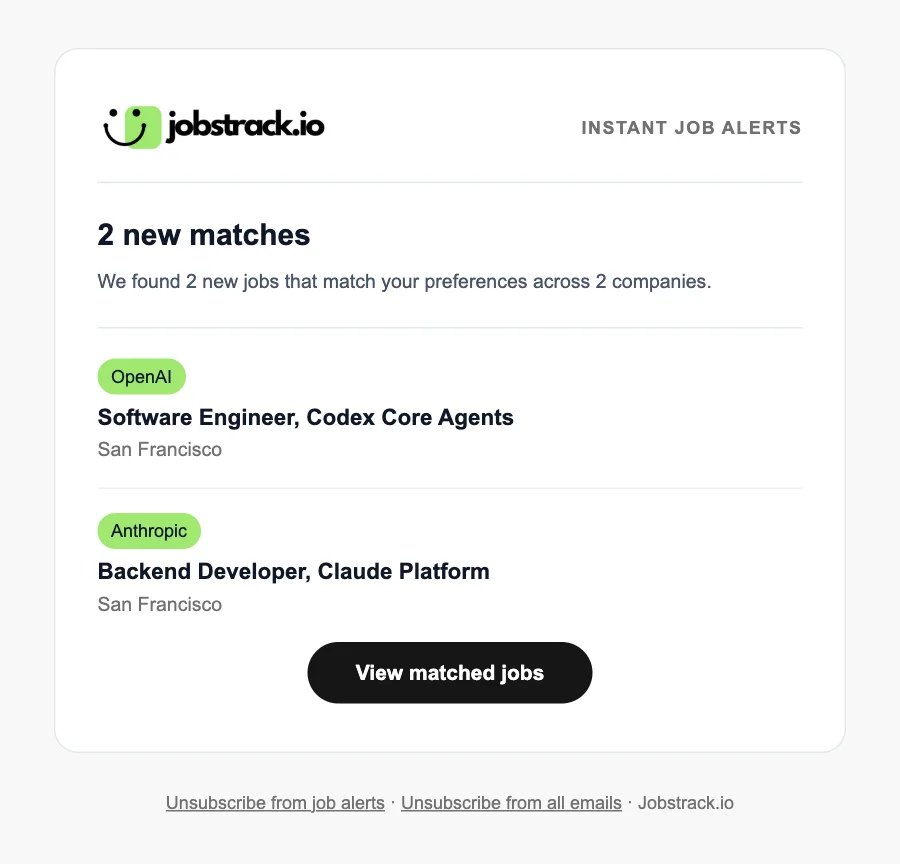
Our instant job alerts guide explains how source monitoring and alert schedules affect when you hear about a role. For questions about the service, billing, and privacy, see Is Jobstrack.io Legit?.
Jobright Alternatives
Choose an alternative around the task you want help with:
- Simplify Copilot: application autofill and tracking for repetitive form work.
- Teal: resume building and editing, with a separate job tracker to organize applications.
- Jobstrack.io: direct career-page monitoring and role- and location-matched email alerts, so finding new openings takes less daily effort.
For a broader comparison, see our guide to AI job search tools. You can also pair a resume or autofill tool with job alerts instead of buying a large bundle.
Should You Choose Jobright or Jobstrack.io?
Where Is Your Search Getting Stuck?
Preparing applications takes too long
Try Jobright Free
Explore matching, resume tools, and autofill. Upgrade only when the extra capacity helps.
Finding new openings takes too long
Try Jobstrack.io
Let career-page monitoring and focused alerts bring new matching roles to you.
If your resume is ready but you keep refreshing the same feeds, start with Jobstrack.io. Set your roles and locations once and let new matches come to you.

Jobstrack.io
Get alerts for new jobs that match your roles and locations.
Frequently Asked Questions
Is Jobright Free?
Yes. Jobright has an ongoing free plan with matching and limited use of its application tools. Turbo adds more capacity and paid features.
How Much Does Jobright Turbo Cost?
The 2026 prices listed above are $39.99 monthly, $17.99 weekly, or about $89.99 quarterly. The quarterly option works out to about $30 per month, paid upfront every three months.
Is Jobstrack.io Cheaper Than Jobright Turbo?
At the standard prices above, Jobstrack.io costs $19.99 monthly compared with $39.99 for Turbo. Its six-month plan works out to about $8.33 per month, paid as $49.99 every six months. Jobright also has a free plan, and the products offer different kinds of help.
Does Jobstrack.io Write Resumes or Apply for Me?
No. Jobstrack.io finds new roles that match your preferences and sends alerts with direct apply links. You prepare your materials, decide which jobs to pursue, and submit the applications.
Does Jobright Also Offer Job Alerts?
Yes. Jobright includes job alerts, with access depending on the plan. Jobstrack.io focuses on direct company career-page monitoring and email alerts matched to your roles and locations.
Can I Use Jobright and Jobstrack.io Together?
Yes. You can discover a role through Jobstrack.io and use Jobright's application tools if they help you prepare. Review the final materials yourself so they reflect your experience accurately.
How Do I Cancel Jobright Turbo?
Open subscription management in your Jobright account and complete the cancellation steps, or contact Jobright Support. Canceling stops future renewal charges; refunds follow a separate policy.
Is Jobright Legit?
Jobright is a real service operated by Jobright Inc., with public product information and subscription policies. Whether Turbo is worth paying for depends on how useful its matches and application tools are for your search.
References
- Jobright Product Overview: matching, resume tools, application autofill, insider connections, job alerts, and Orion.
- Jobright AI Agent: the company's application-agent features.
- Jobright Terms of Service: subscription billing, renewal, and cancellation.
- Jobright Refund and Cancellation Policy: refund eligibility and request windows.
- FavTutor: Jobright AI Review: August 21, 2026 pricing and plan observations from a paid account.
- Simplify Copilot: official application autofill and tracking features.
- Teal Resume Builder and Job Tracker: official resume-editing and application-organization tools.
- Jobstrack.io Pricing: standard plans, trial eligibility, and current offers.
- Jobstrack.io Refund Policy: trial renewal, cancellation, and refunds.
- Companies Jobstrack.io Monitors: employer coverage for role- and location-matched alerts.
- How to Monitor Company Career Pages: a guide to finding openings at the source.
- Auto-Apply vs. Job Alerts: how application tools and job alerts fit different search needs.
- Alert email image: Jobstrack.io's own email template, shown with sample job data.
- Jobright product images: Jobright, official matching and autofill illustrations, downloaded October 16, 2026. Images and trademarks belong to their respective owners.
- Homepage screenshot: Jobright, captured October 16, 2026.
- Turbo pricing screenshot: FavTutor's Jobright review, screenshot dated August 21, 2026. Jobright interface and trademarks belong to Jobright.
More Articles
Is Jobstrack.io Legit? How It Works, What It Costs, and What to Expect
See how Jobstrack.io job alerts work, what they cost, whether the trial needs a card, and how to judge the service before subscribing. Written by our team.
Oct 10, 2026
Auto-Apply vs Job Alerts: Which Actually Gets Interviews?
Compare auto-apply tools and job alerts on cost, control, and timing. See how Jobstrack.io helps you find matching roles directly on company career pages.
Sep 17, 2026
How to Answer "What Are Your Salary Expectations?"
Only about 3 in 10 workers ask for more pay, and 38% of those who do get more than offered. Here is how to answer salary expectations, with 11 scripts.
Aug 11, 2026